

Run your whole computer lab from one PC.

Vidyasagar Academy is happy to announce that Observer, our classroom program for school and college computer labs, is now available on the Microsoft Store for Windows 10 and 11. With Observer, one teacher can see, guide and test a whole lab of students from the teacher’s own PC, without walking from desk to desk.
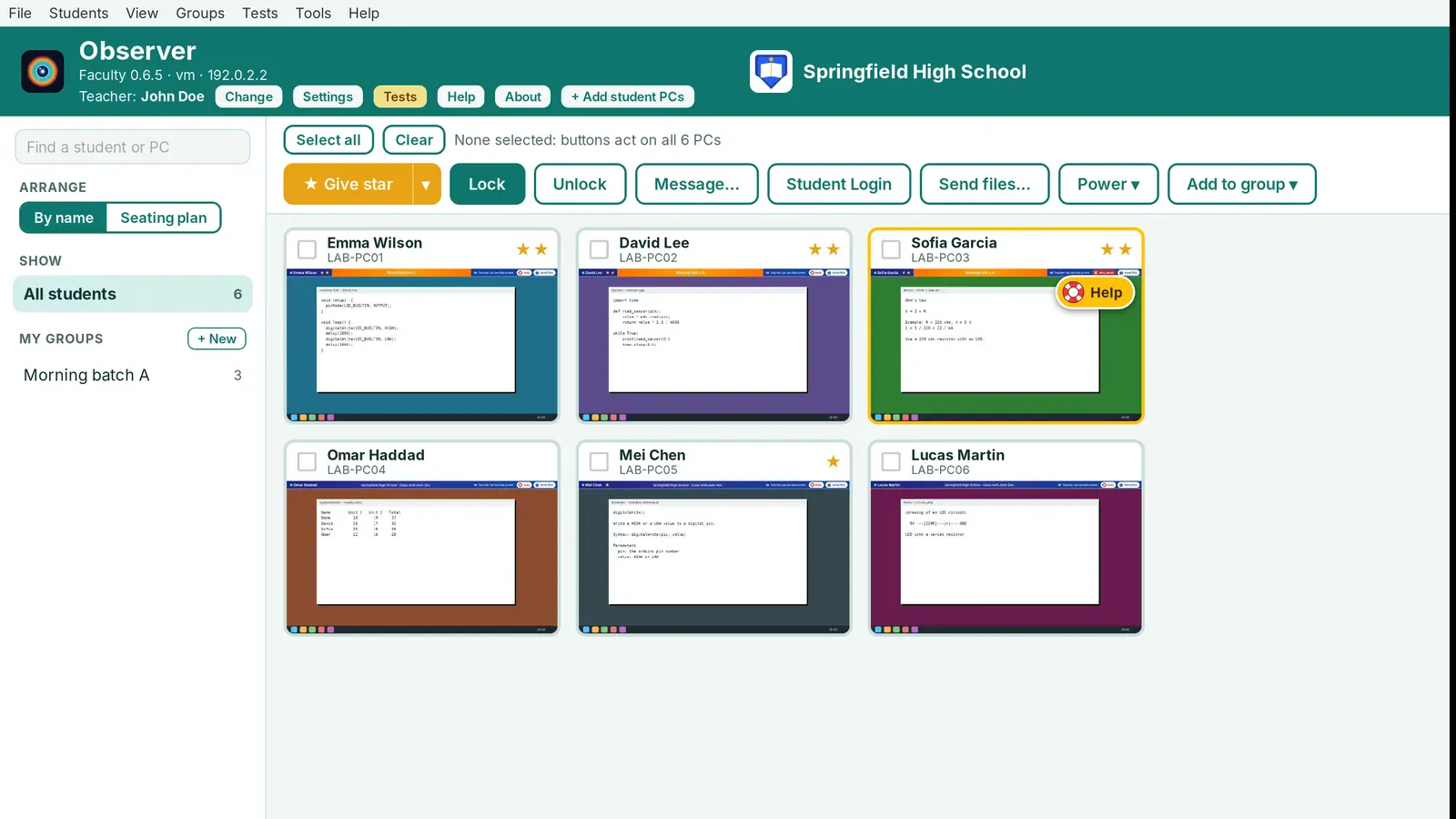
Observer was designed and built at Vidyasagar Academy for real classrooms. It was tested in our own computer labs before it went to the Store.
Page Contents
show
Two programs one classroom
Observer Faculty: For the teacher PC. Shows every student screen live and gives the teacher all the classroom tools. Free to download, works fully for a free week with no card, then a yearly subscription is required.
Observer Student: For every student PC. Free. It starts with Windows, finds the teacher PC by itself and shows a strip at the top of the screen while the teacher is connected.
What a teacher can do
See and guide every student
- Watch live pictures of every student screen, in a grid or in your own seating plan.
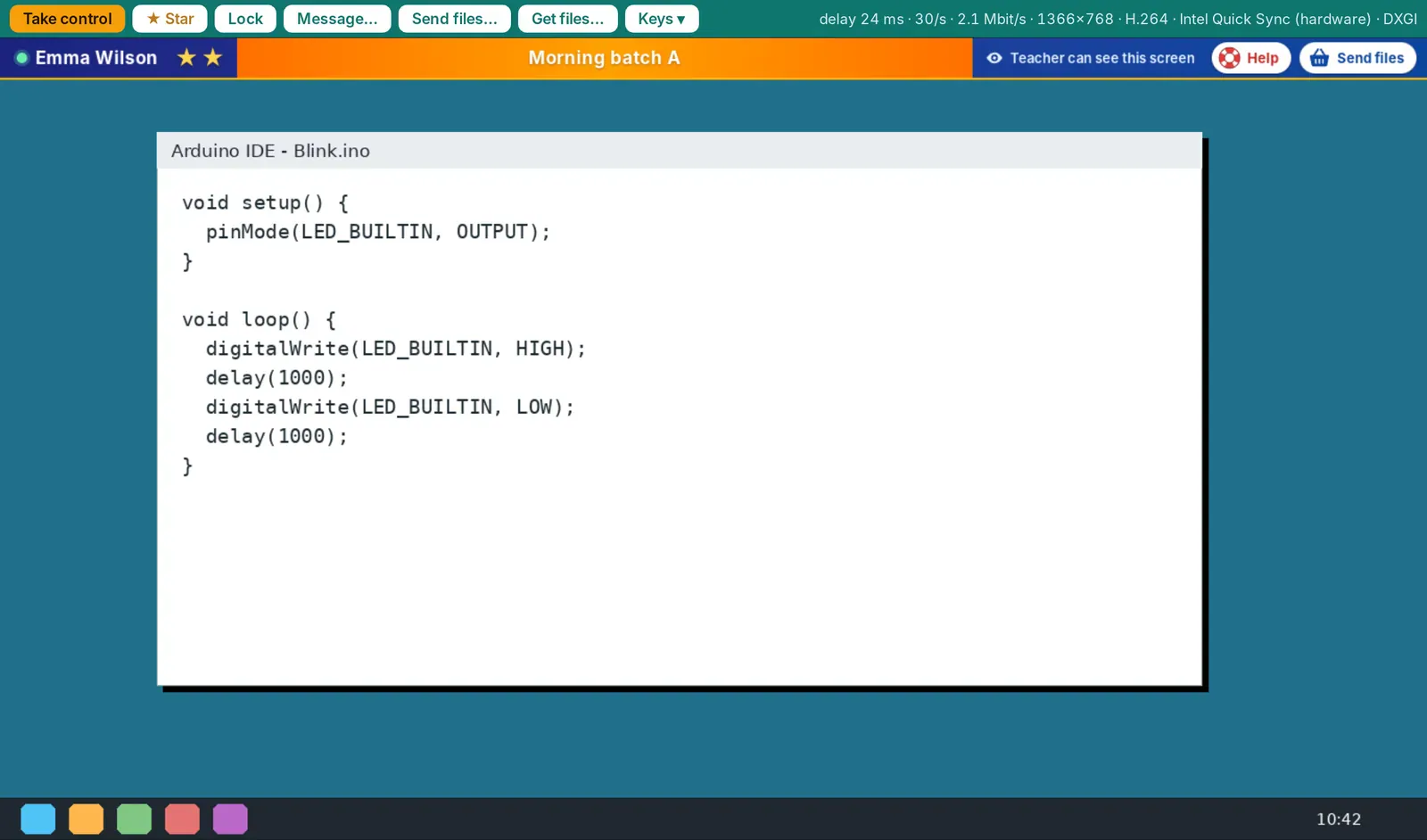
- Open a big, sharp live view of any student, with very little delay.
- Take control of a student PC’s mouse and keyboard to help them.
- Show your own screen to the whole class.
- Lock and unlock screens, and send messages to one student or to all.
- Send files to students and collect files from their PCs.
- See at once who needs help: when a student presses Help, a blinking sign appears on that student’s picture.
- Give stars for good work, and keep students in groups.
Switch the lab on and off
- Restart or shut down student PCs from the teacher PC.
- Switch shut-down PCs back on over the network (Wake-on-LAN). A switched-off PC stays in the list as a grey tile.
Tests, question banks and marks
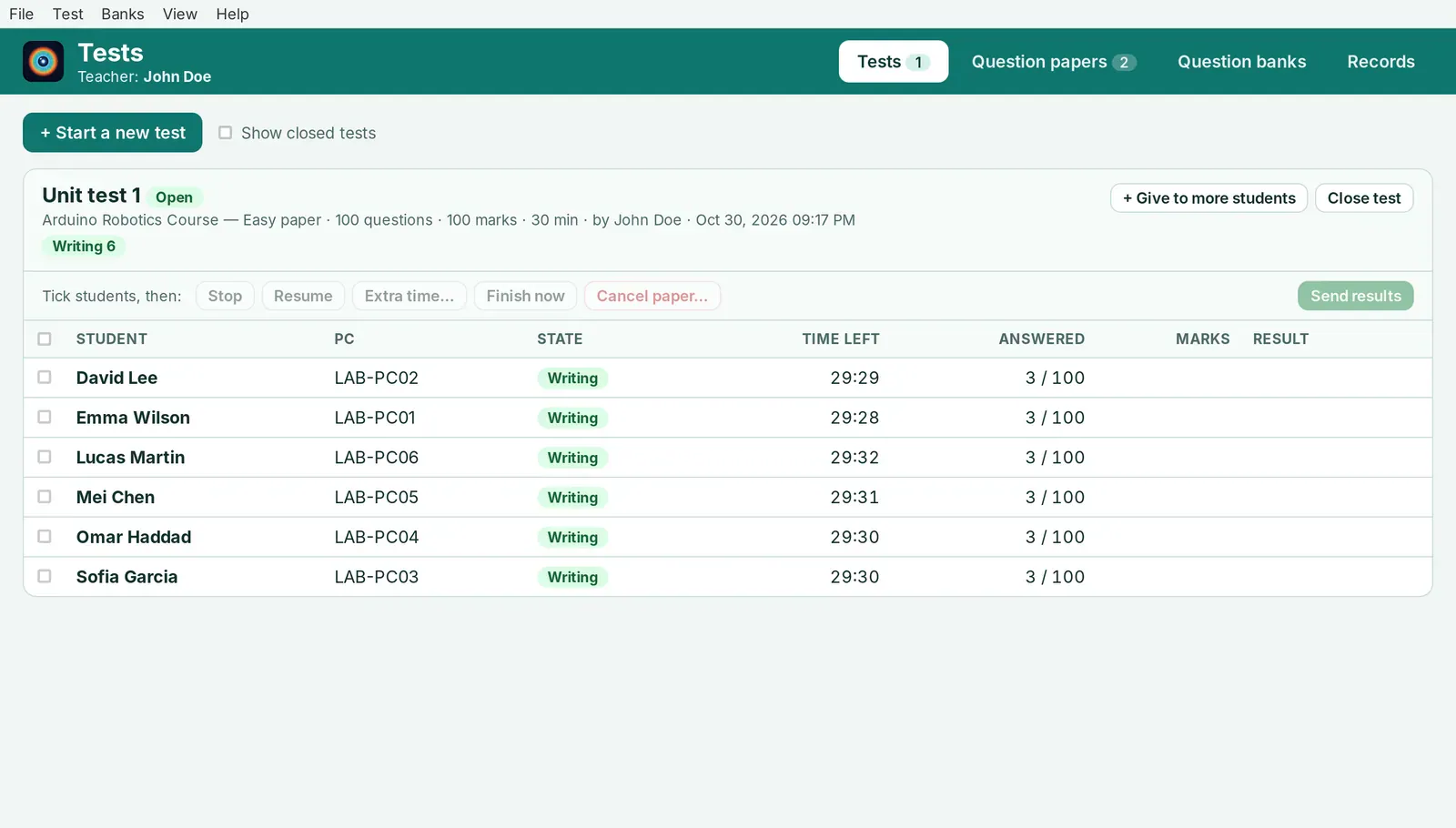
- Build question banks for any subject, with chapters and Easy, Difficult and Hard levels.
- Use eight kinds of questions, including multiple choice with more than one answer, number answers and pictures.
- Import questions from Excel or CSV files.
- Start a test on chosen students, then stop, resume or give extra time.
- Mark the answers, send results to students and keep a record of every student’s marks.
Private and secure by design
Observer works only inside the school’s own network. It needs no internet and no account, and it sends nothing to Vidyasagar Academy or anyone else. Every link between the teacher PC and the student PCs is encrypted.

Students always know when they are being watched: while a teacher is connected, a strip at the top of every student screen says so. Read the full Privacy Policy.
Fast, light and sharp
Observer is built with modern, memory-safe Rust and uses Windows’ own WebView2, so it is small, starts quickly and uses little memory. Live pictures use the PC’s graphics chip for video when one is available, which keeps the delay very low. Text and icons stay crisp at every display scaling, from 100% to 300%. The program is in English, and teachers can type their questions in any language.
How to get started
- Install Observer Faculty on the teacher PC and open it. Your free week starts now.
- Install Observer Student on each student PC and open it once. After that it starts by itself with Windows.
- In Observer Faculty, press + Add student PCs. Type the 6-digit code it shows into the Join your teacher box on each student PC.
- The student PCs appear as live pictures. Arrange them in groups or a seating plan, and start teaching.
Tip for labs with many PCs: Observer Student can also be installed from this link or using a command prompt with winget install 9NNJ78GZVPBX --source msstore.
Price
Observer Student is free. Observer Faculty is free to download and works fully for one week, with no card and no sign-up. After the free week, a yearly subscription keeps it working. You subscribe inside Observer Faculty with the Subscribe button, through the Microsoft Store, and the price for your country is shown there. Your groups, question banks, tests and marks are kept.
What you need
- Windows 10 or 11, 64-bit, on the teacher PC and the student PCs.
- All PCs on the same local network, wired or Wi-Fi.
- To switch PCs on over the network: a wired connection and Wake-on-LAN allowed on the PC.
Download Observer
More details and screenshots: github.com/dsvakola/observer
Questions? Write to softinquiry@vsa.edu.in.
