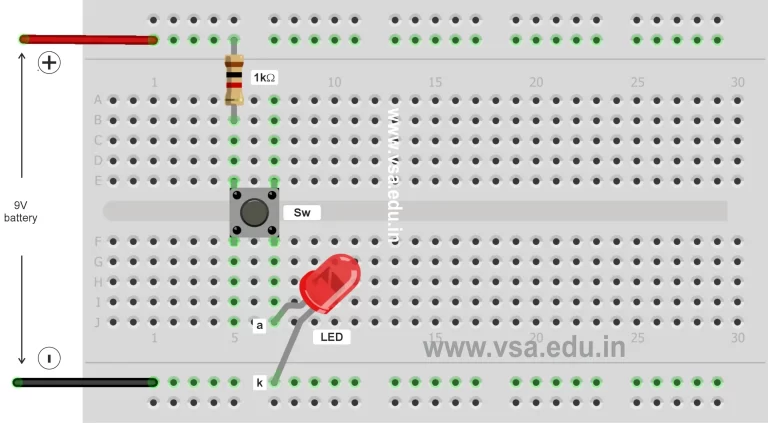
PE-B1: LED on/off Circuit
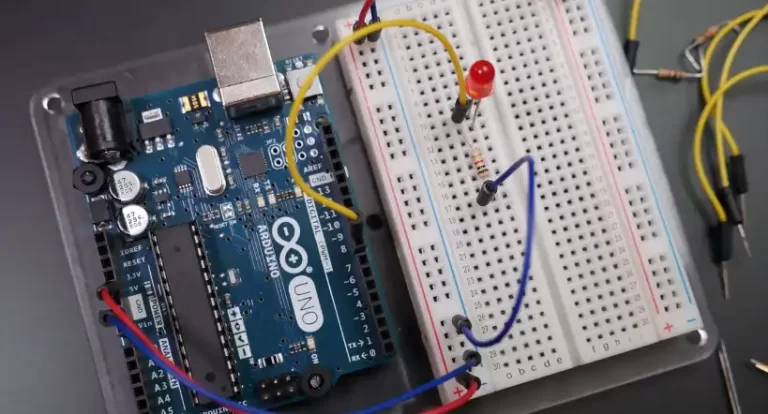
Construct this simple circuit to start your journey in the learning of practical electronics. To construct more circuits in practical electronics download our practical electronics workbook.


Construct this simple circuit to start your journey in the learning of practical electronics. To construct more circuits in practical electronics download our practical electronics workbook.

The 12th standard electronics chapter-wise revised marking scheme is given below. It is fully revised and will be applicable to all future HSC board examinations from this year onwards.
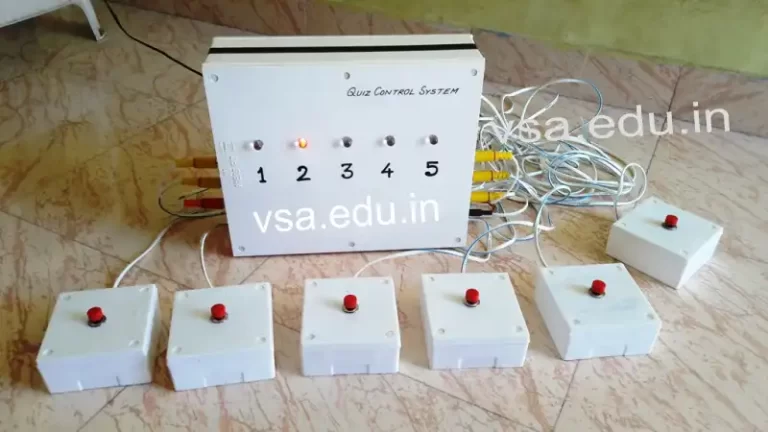
With this system we can detect the fastest finger first action in a quiz competition conducted in schools & colleges. For this project you require following components.
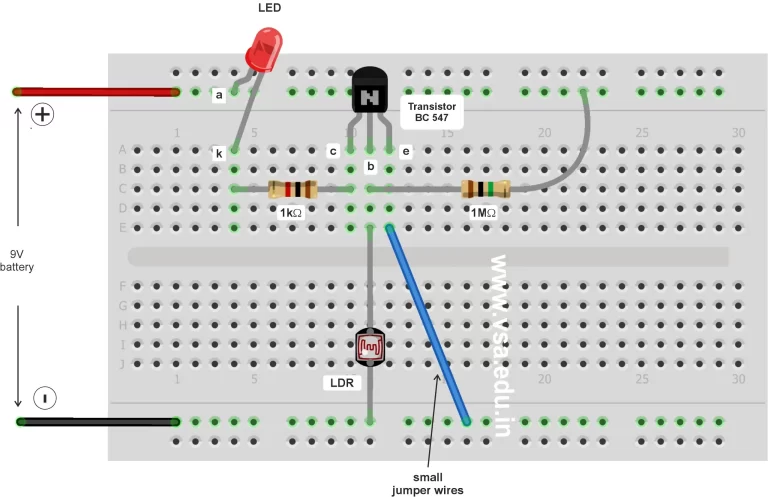
In this circuit during evening the LED (street light) glows and in morning the LED (street light) become automatically OFF.

Great collection of Arduino software and utilities for the students of Vidyasagar Academy and for the ATL Lab incharge.
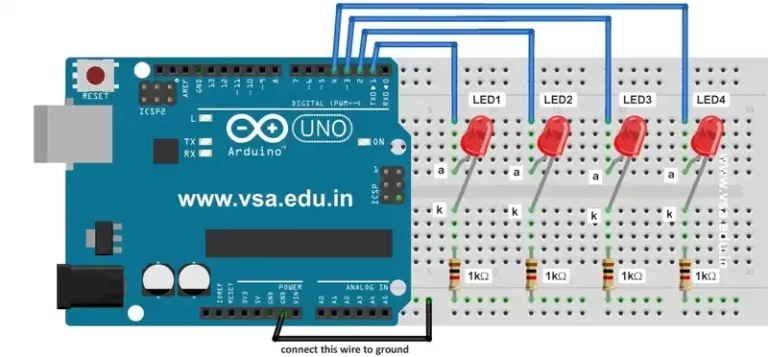
In this code we use 4 LEDs connected on breadboard with 4 resistors of 1kΩ. This code produces the effect of running LEDs.
An array is a collection of values which are accessed with an index number. Any value in the array may be called in the program by calling the name of the array and the index number of the value.
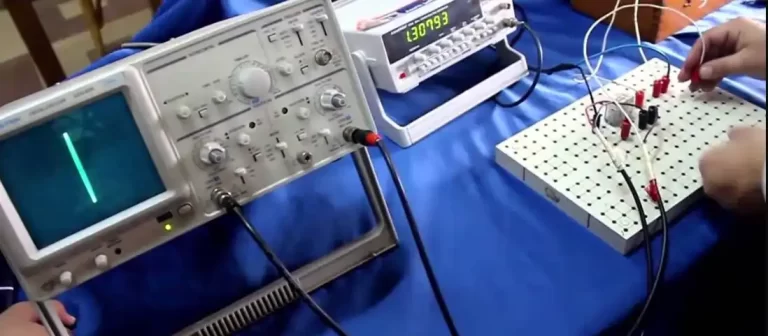
A cathode ray oscilloscope (CRO), also known as an oscilloscope or scope, is a type of electronic test instrument used to visualize and analyze electrical signals in the time domain. It is an essential tool for engineers, scientists, and technicians working with electronics, telecommunications, and various fields of science and engineering.
In this code we use 4 LEDs connected on breadboard with 4 resistors of 1kΩ. This code produces the effect of chasing LEDs.
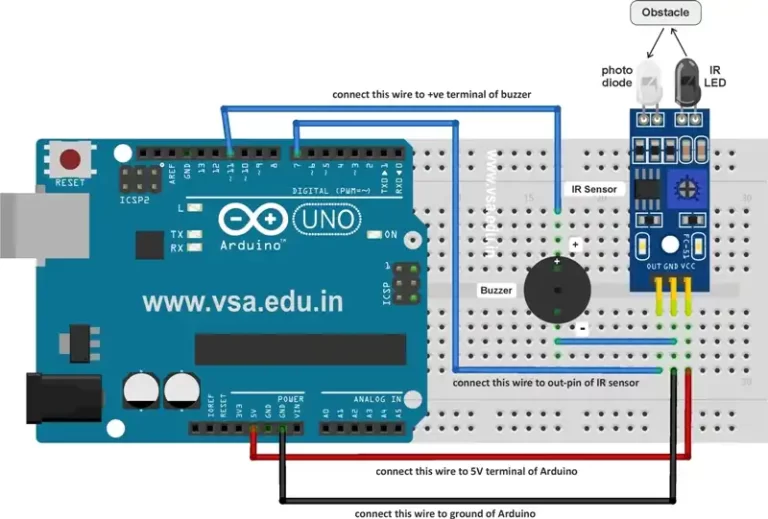
This code is used to beep the buzzer when obstacle is detected by the IR sensor in front of it. When there is no obstacle, the buzzer remains OFF.
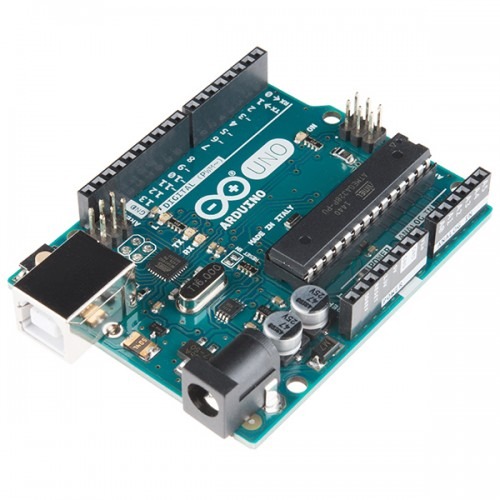
To work on this project, just connect Arduino UNO with data cable to your PC or laptop. Then upload the given program in it. Press Ctrl-Shift-M to open Serial Monitor window. Enter two numbers with required mathematical operator, and press Enter.
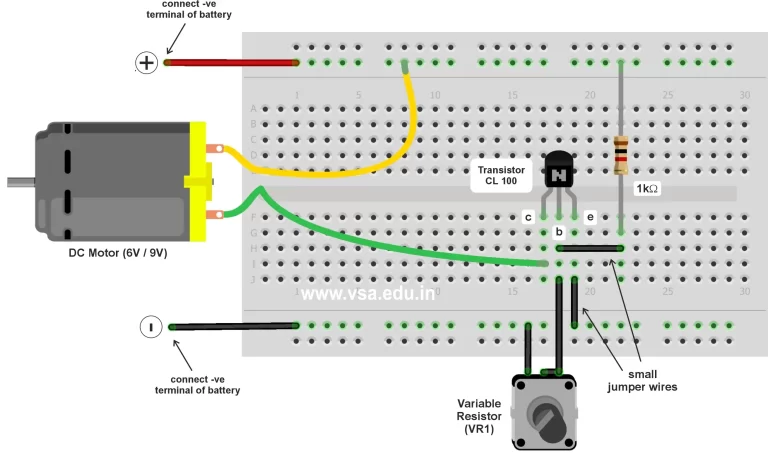
In this circuit when we rotate the variable resistor clockwise, the speed of motor increases and when we rotate it anti-clockwise the speed of motor decreases.
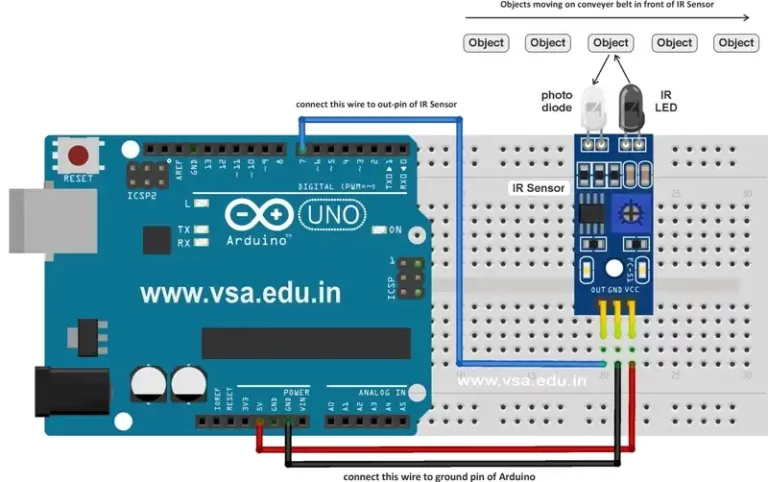
This code is used count the number of objects passing in front of the IR sensor. It displays the count of the object on serial monitor in Arduino IDE software.
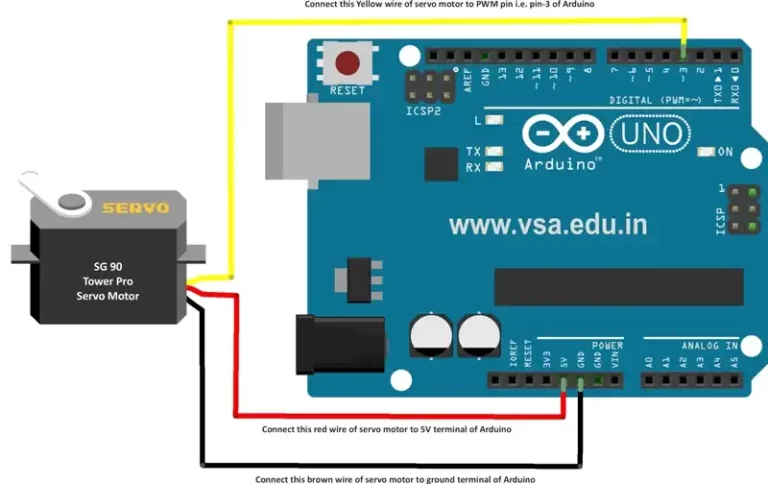
In this code the servo motor is controlled in required angle. We can change the value of the angle in the code either positive or negative angle.
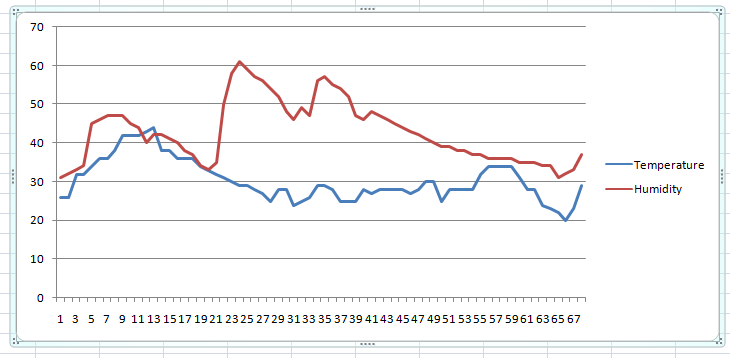
The use of data logger shield in Arduino is rather critical and everyone may not have the data logger shield readily available to create the log of readings in Arduino.
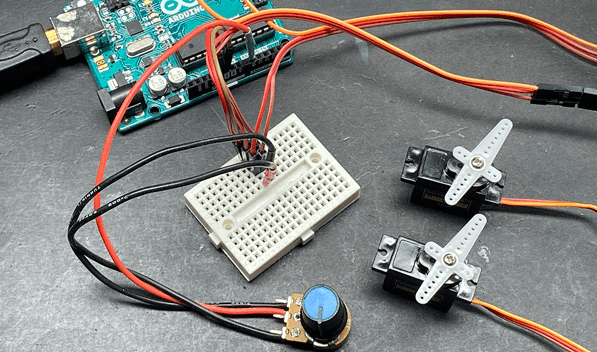
In new type of Arduino boards with the ATMeaga168 chip, the pins 3, 5, 6, 9, 10, and 11 work as PWM pins. Older Arduino board with an ATMega8 chip has only pins 9, 10, and 11 as PWM pins. The value can be specified as a variable or constant with a value from 0-255.

Sometimes when you install a plugin, it may block the theme editor option and plugin editor option also. This is done particularly for the security reasons.
A variable is a way of naming and storing a numerical value for later use by the program. As per its meaning variable is actually assigned to a value which may constantly change.
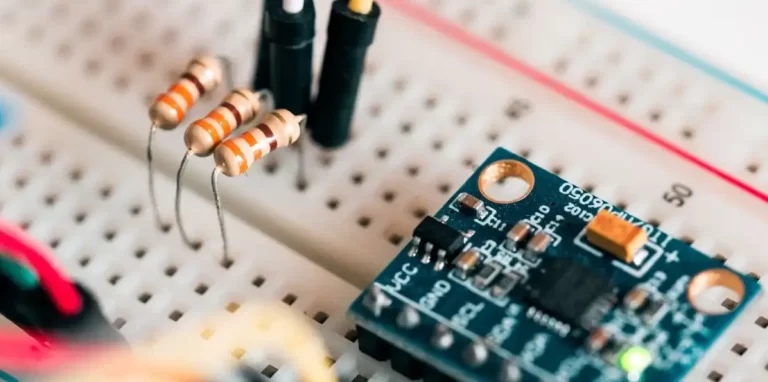
In programming, datatype is a classification which specifies which type of value a variable is assigned with and what type of mathematical, relational or logical operations can be applied to it.
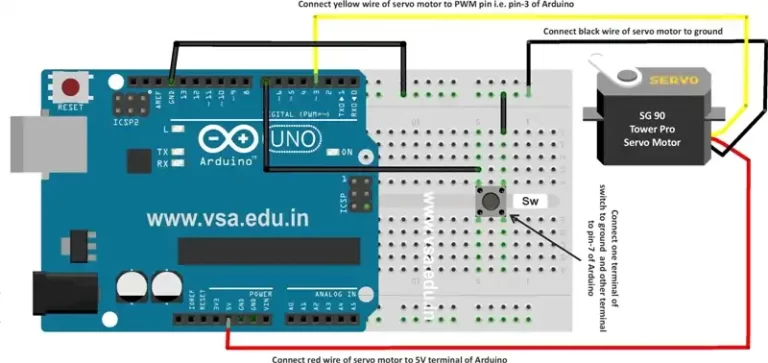
In this code when the button is pressed, the servo motor starts rotating smoothly from 0 – 90 and then 90 – 0. When the button is released, the motor restores back to angle 0.