
Beta version | features in detail

Page Contents
show
Overview
AshtaLakshmi Billing Software is a complete billing desk for small businesses, shops, institutes and professionals. It runs on Windows, works fully offline and keeps all data in one file on your own PC, so a backup is simply a copy of that file.
Six document types
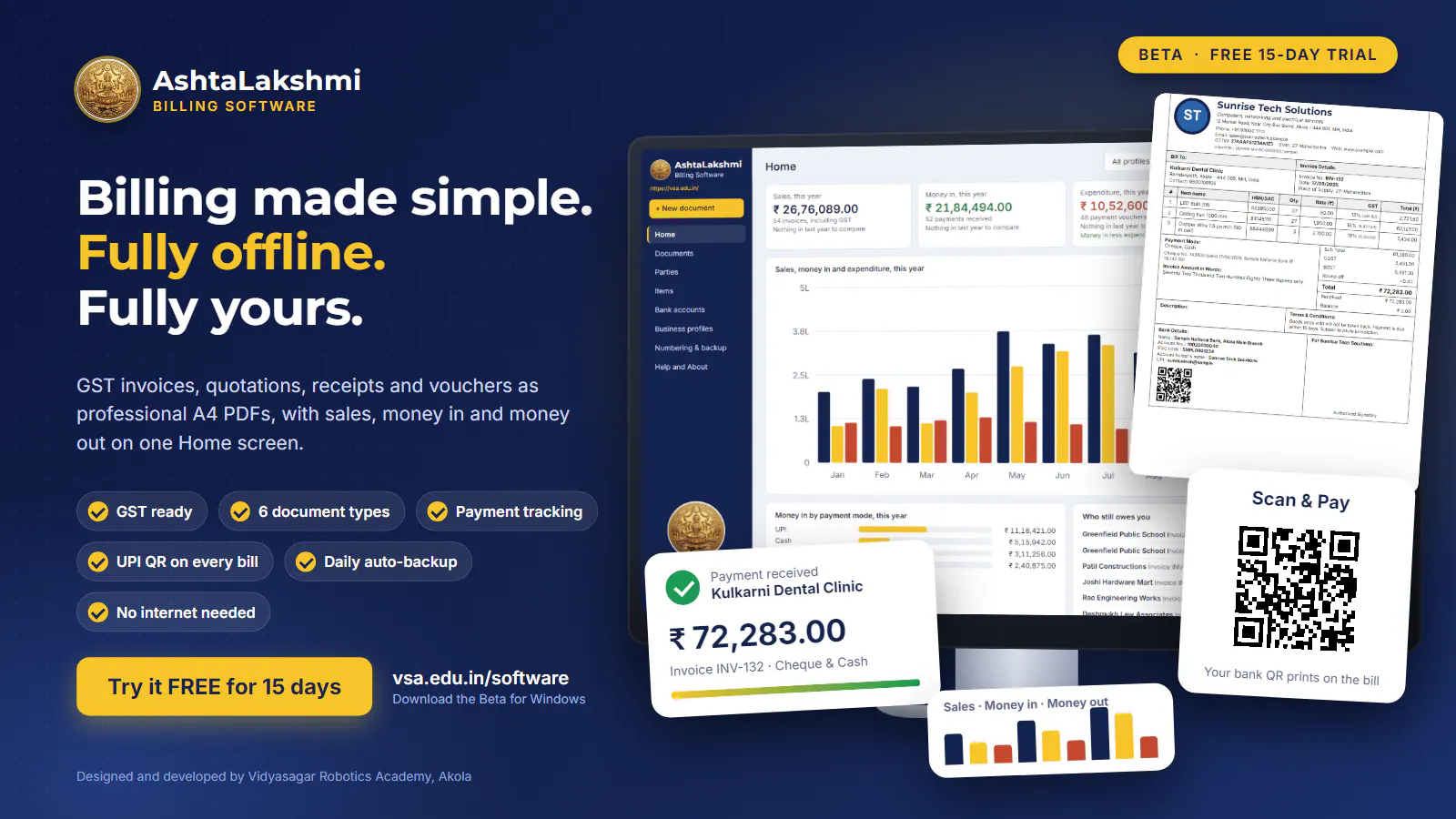
Create Invoices, Quotations, Purchase Orders, Delivery Memos, Payment Receipts and Payment Vouchers. Each is printed as a clean A4 PDF with your logo, address, GSTIN, signature, terms and conditions and an automatic amount in words. A live preview beside the form shows exactly what will print.
GST made easy
Choose GST or non-GST for every bill. The software splits tax into CGST and SGST, or IGST for other states, handles HSN/SAC codes, discounts and round-off, and totals each tax rate. Documents can be copied, converted (for example a quotation into an invoice) and numbered with your own prefix and suffix.
Your business details
Keep several business profiles, each with its own logo, GSTIN, header and numbering. Save customers in a party list and products and services in an item list with HSN/SAC and tax rates. Add your bank accounts, with a UPI ID and your payment QR code, and they print neatly at the foot of every bill.
Know who has paid
Record part payments with dates and modes such as cash, UPI, bank transfer or cheque. Each invoice shows Paid, Part paid or Balance due, and receipts can be linked to the invoices they settle.
A Home screen that shows the whole picture
See sales, money in, expenditure and what is still to be received, by week, month, quarter or year, in clear charts. Check money in by payment mode, find out who still owes you, and see who you paid the most.
Find anything quickly
Search by number or party, filter by type, business, year, month or payment status, sort any column, and delete many documents at once. Documents are grouped month by month with totals.
Who it is for
Shops and traders, electricians and contractors, clinics, coaching classes, schools and institutes, workshops and freelancers can all use it. If you now write bills by hand or in a spreadsheet, you get tidy, correct, professional documents with far less effort and far fewer mistakes.
Getting started in minutes
Install the software, add your business profile with its logo, then add a bank account and your first customer. Choose New document, pick the type, select the party and items, and press Print or Save PDF. Numbers continue automatically from one bill to the next, and you can change the series whenever you like.
Safe and private
Take a one-click backup or let the software save a daily backup to a pen drive or another folder, and restore it on any PC. A built-in Help guide explains every step.
About the Beta
The Beta is free to test for 15 days from the first start. Your data stays on your PC, and a backup can be saved even after the trial ends, so nothing is lost. Updates to the full version are free.
Developed by Prof. Dattaraj S. Vidyasagar & Prof. Yash D. Vidyasagar, for Vidyasagar Robotics Academy
https://vsa.edu.in/software/ | softinquiry@vsa.edu.in